Sending SMS
Text many guardians, students or staff at once — each with their own name. See how many people it reaches and how many SMS it uses before you send. Absences, results and more can go out by themselves.
For:Owner & adminAccountantOffice & admissions
The SMS page
Open SMS in the left menu. Four cards at the top show this month:
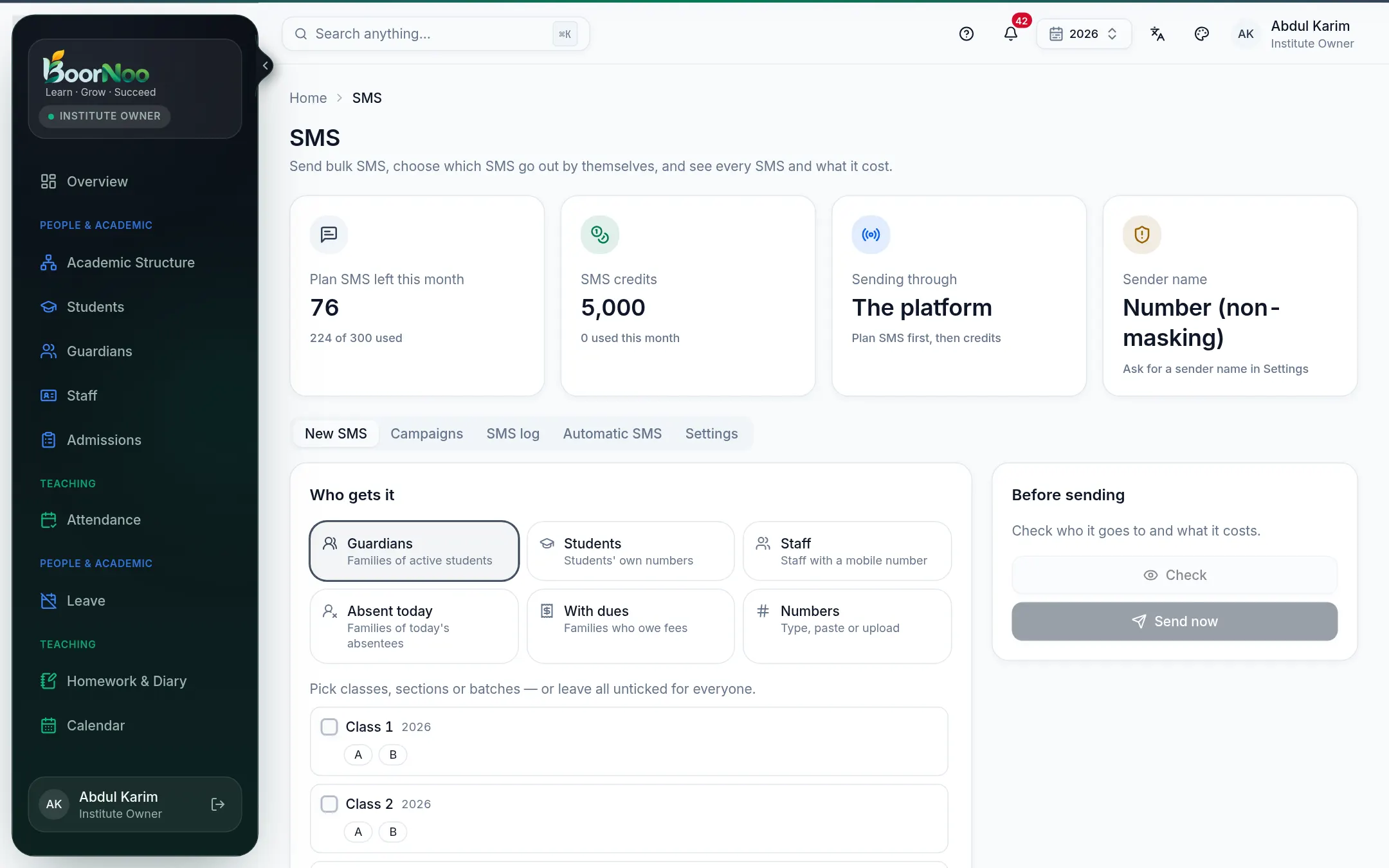
Point by point
Tap a number to see what it is.Point at a number, or scroll the list.
Writing and sending an SMS
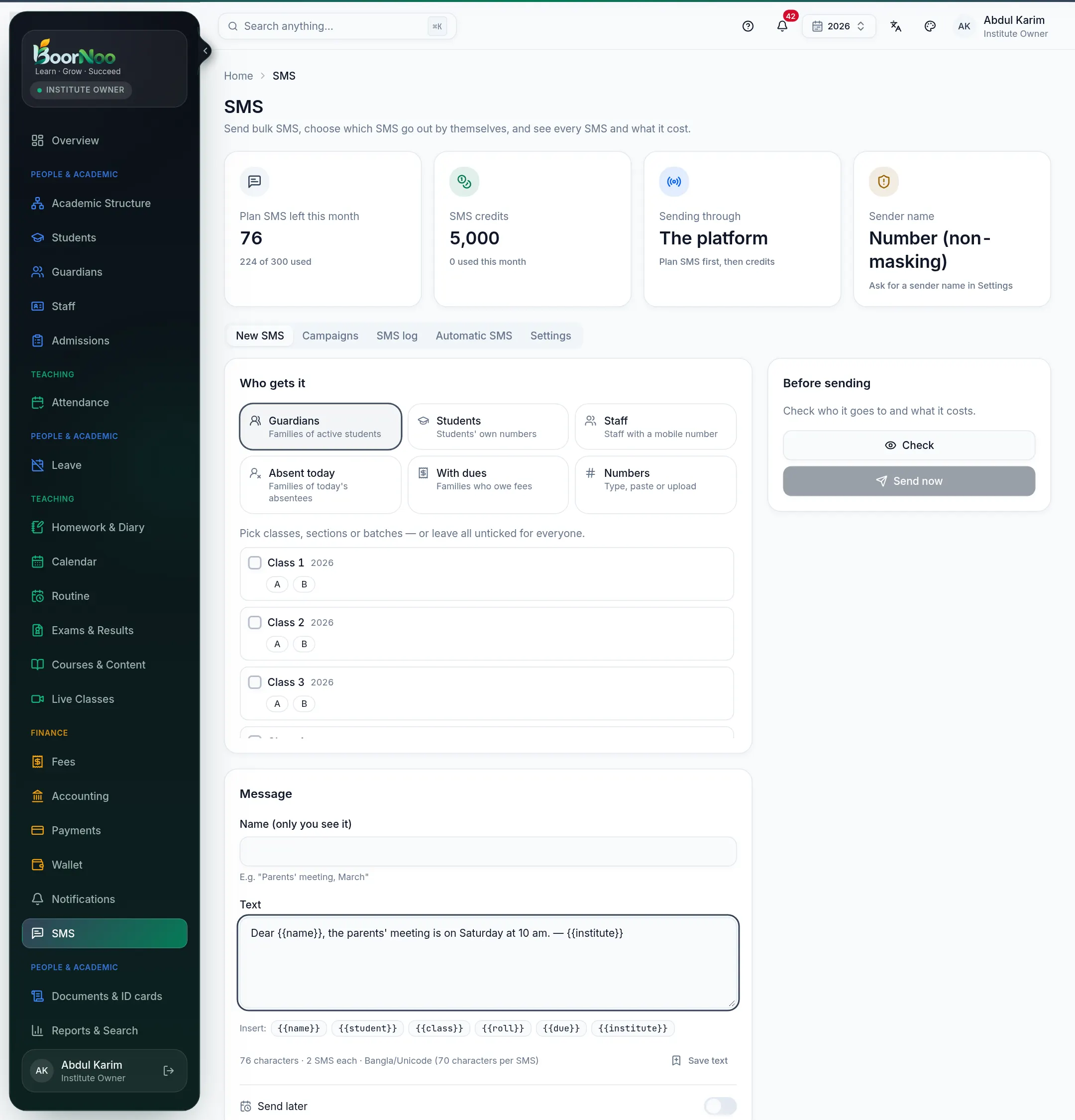
Point by point
Tap a number to see what it is.Point at a number, or scroll the list.
- 1On New SMS, choose who gets it. Tick classes, sections or batches if you want only some.
- 2For your own list, choose Numbers and paste them, or upload a CSV/text file.
- 3Write the message. Buttons like {{name}}, {{student}}, {{class}}, {{due}} fill in each person's details.
- 4Press Check. On the right you'll see how many people, how many SMS, how many are left, and a few samples.
- 5If it looks right, press Send now and confirm. To send later, turn on Send later and pick a time.
- A single Bangla letter or special symbol (like —) makes the whole SMS Unicode, at 70 characters per SMS. To keep English SMS cheap, use a plain - instead.
- A number listed twice gets one SMS. Wrong numbers and numbers that are left out — the preview tells you how many.
- Outside sending hours (see Settings) the SMS waits for the next morning, so nobody is disturbed at night.
- If the plan and credits together aren't enough, it won't send — ask the platform for credits.
Approval
When an SMS goes to many people (over 100 by default) and its writer can't approve SMS, it waits for approval. The owner or an admin opens it on the Campaigns tab and presses Approve and send or Reject.
How a sent SMS went
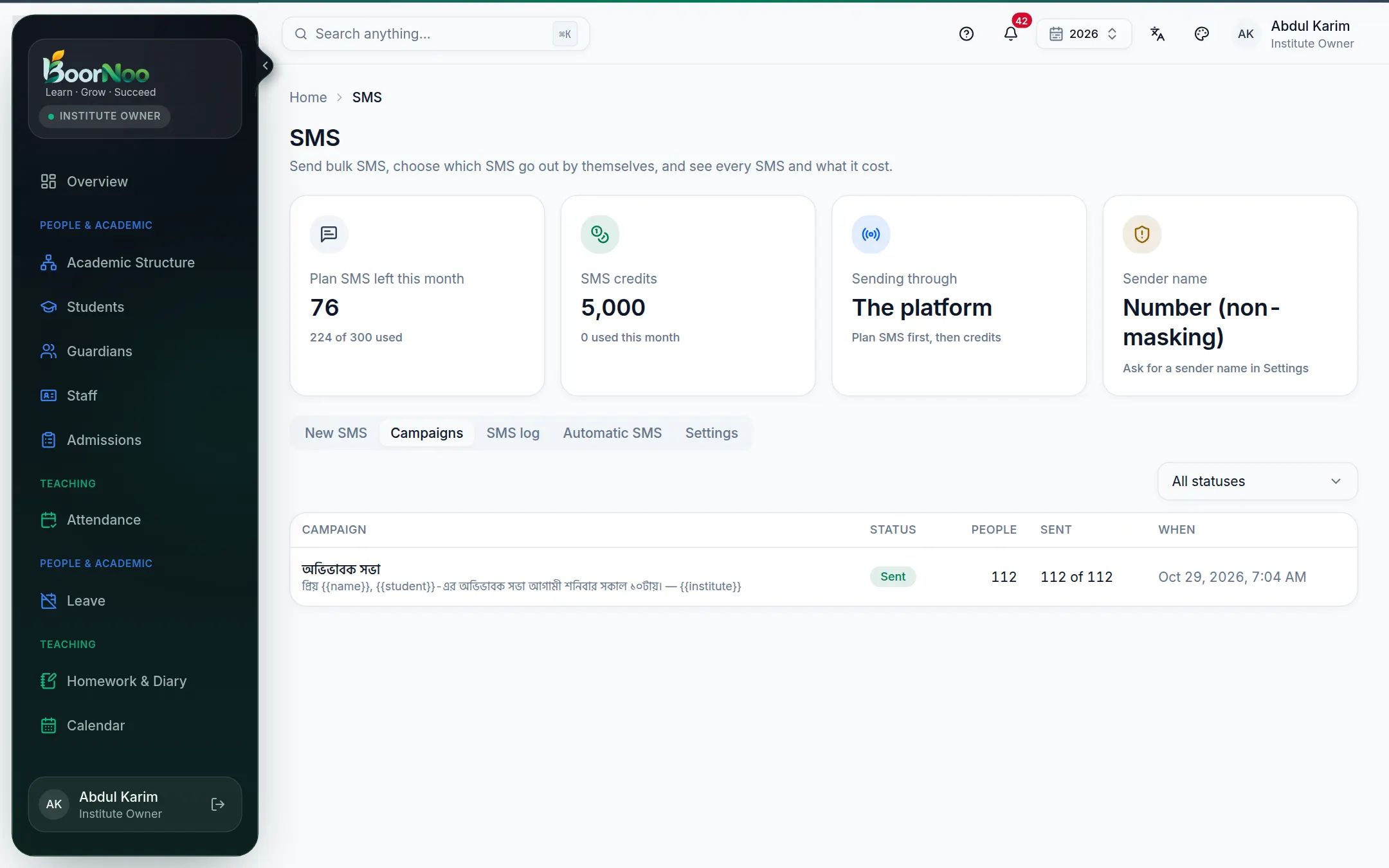
Point by point
Tap a number to see what it is.Point at a number, or scroll the list.
| Status | Meaning |
|---|---|
| Sent | The SMS company accepted it. |
| Delivered | It reached the phone (when the company reports it). |
| Not delivered / Failed | Phone off or wrong number. Failed SMS are given back. |
| Not sent | No SMS left, or not allowed — the reason is shown beside it. |
Every SMS — automatic ones too — is in the SMS log tab, searchable by number, status and kind.
SMS that go out by themselves
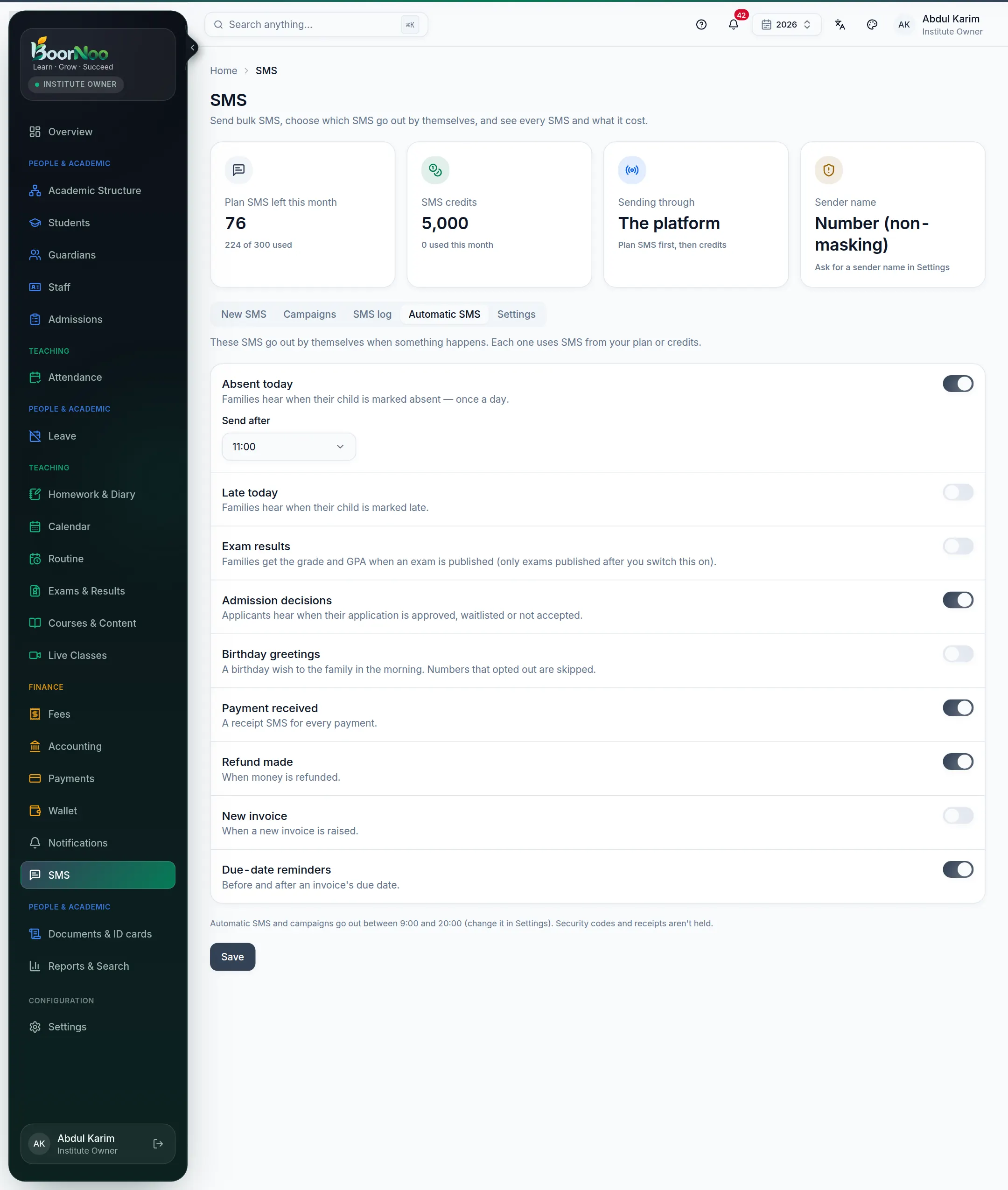
Point by point
Tap a number to see what it is.Point at a number, or scroll the list.
There are also: late arrivals, admission decisions (to the applicant) and birthday greetings. Each SMS uses your plan or credits.
Settings: hours, sender name, opted-out numbers
- Sending hours — say 9 am to 8 pm. Campaigns and automatic SMS wait outside them. (Security codes and receipts don't wait.)
- Sender name ([[senderId|sender ID]]) — ask for one so SMS arrive as "ABC SCHOOL" instead of a number; attach a trade licence if you can. The platform registers it with the operators and approves it. Branded SMS count as more than one SMS per part.
- Opted-out numbers — they don't get campaigns or greetings; receipts, absences and results still go.
- Saved texts — keep texts you send often and pick them when writing.
- SMS credits — when credits came in and what used them.
Questions
How much does one SMS cost?
First from the plan's monthly SMS, then from . The platform sets the credit price — ask the BoorNoo team.
Why does a Bangla SMS cost more?
One SMS holds 70 Bangla characters but 160 English ones, so long Bangla text needs more .
I sent it by mistake — can I stop it?
Open it under Campaigns and press Cancel. Those already sent can't be recalled; the rest won't go and won't be charged.
Someone isn't getting SMS.
Search their number in SMS log — it shows the status and reason. Check it's an 11-digit Bangladeshi mobile number and isn't on the opted-out list.
Still stuck? Ask your institute's admin, or the BoorNoo team.