Online payments (bKash and others)
Parents and students pay fees from their phone, by bKash or card. As soon as the money arrives the invoice is marked paid, a receipt is made and the books are updated.
For:Owner & adminAccountantParent
The payments page
boornoo.com/dashboard/payments
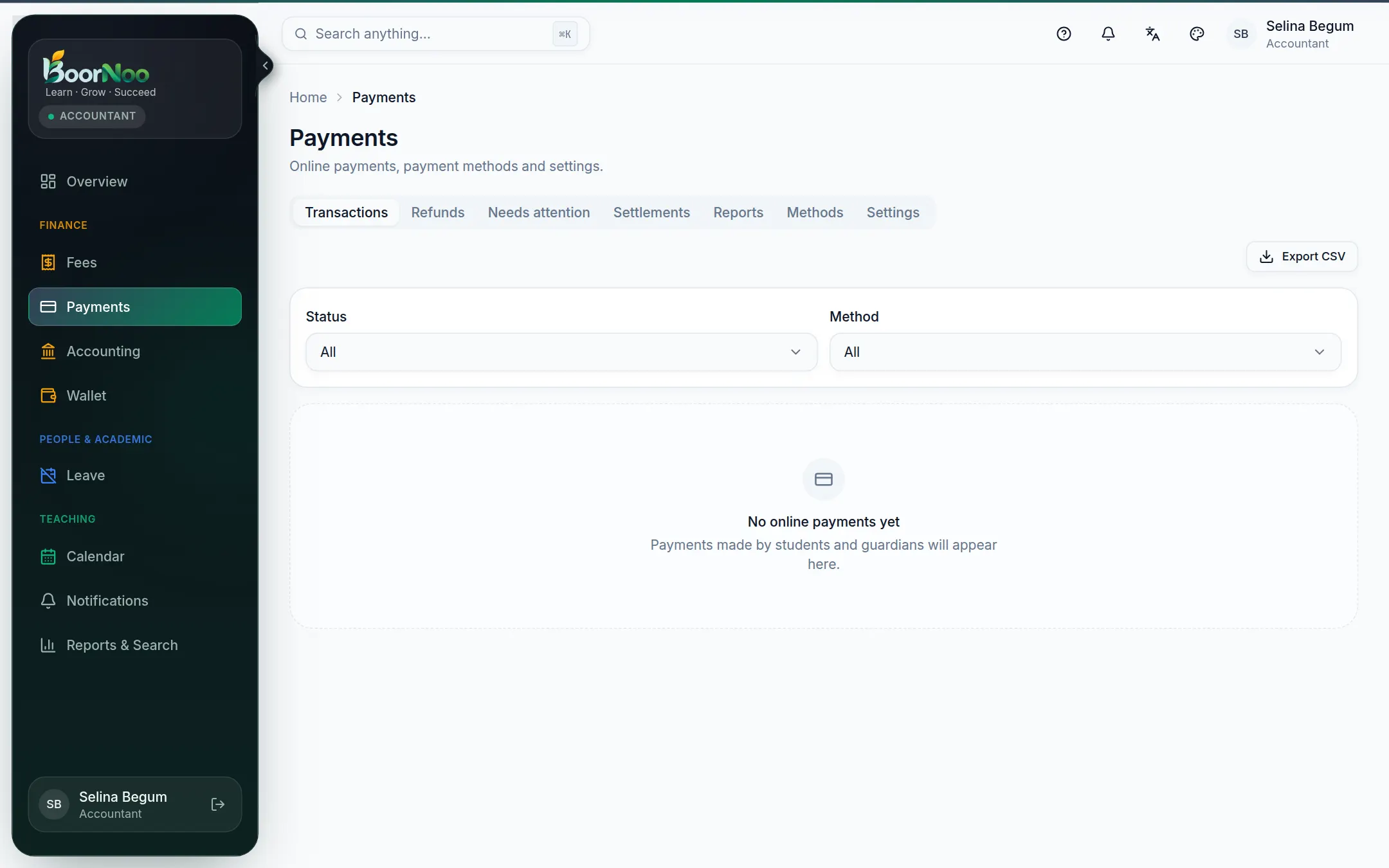
Point by point
Tap a number to see what it is.Point at a number, or scroll the list.
- 1On Methods, turn on the ones you want and enter your merchant account details.
- 2Under Settings, choose whether part payments are allowed and who pays the gateway charge.
- 3From now on, parents can pay from their own portal.
How a parent pays
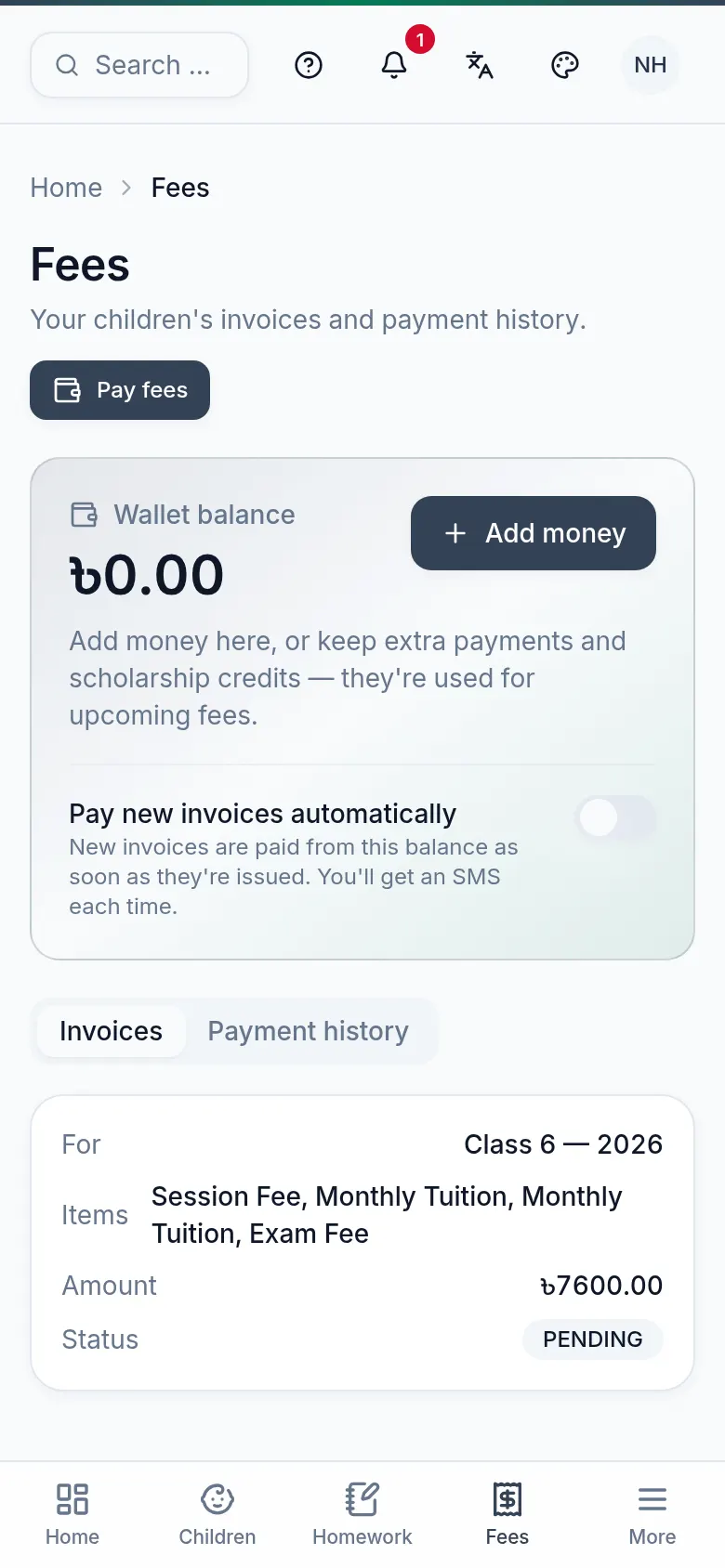
Point by point
Tap a number to see what it is.Point at a number, or scroll the list.
- 1Open Fees in the portal and press Pay fees; with several children, pick one.
- 2Tick the invoices to pay, choose a method, then Pay now.
- 3Finish on the gateway's secure page — you'll come back to the receipt.
Still stuck? Ask your institute's admin, or the BoorNoo team.