For platform admins
For the team running BoorNoo: approving new institutes, plans, billing institutes, resellers and the SMS gateways.
For:Platform admin
Approving institutes
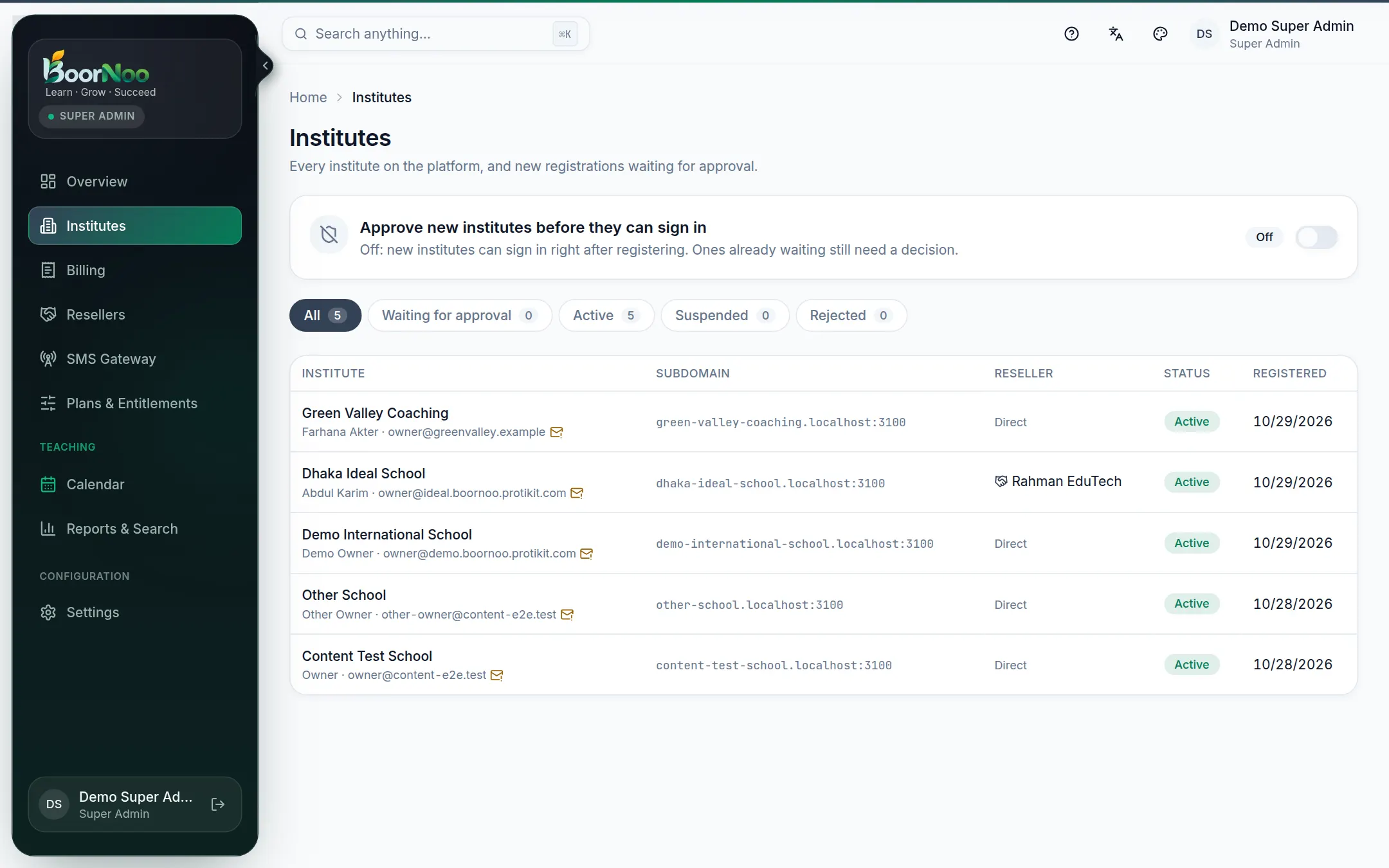
Point by point
Tap a number to see what it is.Point at a number, or scroll the list.
New registrations wait under Pending approval. Review and Approve, or Reject with a reason — the owner is emailed.
Plans & entitlements
On Plans & Entitlements, set which each includes, its limits (students, SMS) and price — and whether prices show on the website.
To switch a module on or off, or extend the period, for one institute, use the Subscription tab on that institute's page.
Billing institutes
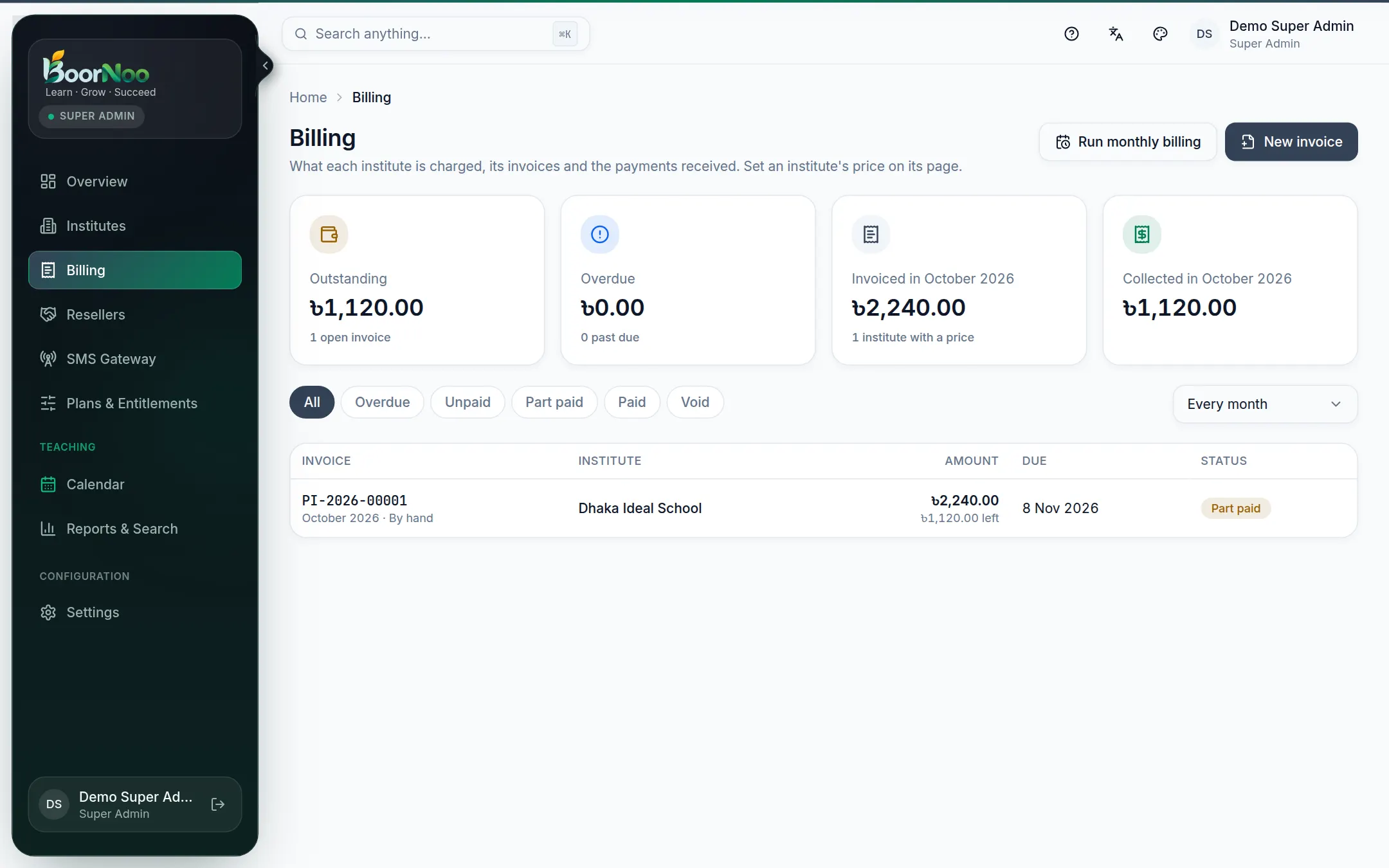
Point by point
Tap a number to see what it is.Point at a number, or scroll the list.
- 1On the institute's Billing & reseller tab, set its price: a fixed amount a month, or per student (optionally with a minimum).
- 2Invoices are made on the 1st of each month and the owner is emailed.
- 3When money arrives (bKash, bank, cash), open the invoice and press Record payment. Mistakes are voided with a reason — never deleted.
Resellers
- Resellers → Add reseller: name, email, commission rate, agreement start and end, and the signed agreement as a photo/PDF if you have it.
- The reseller gets an invitation email and their own dashboard.
- To credit an institute to a reseller, or give it its own rate, use the institute's Billing & reseller tab.
- Record payouts when you pay them — never more than they're owed.
- Freeze pauses sign-in (can be undone); Terminate is final.
- Report shows each reseller over the dates you pick, with CSV download.
SMS gateways
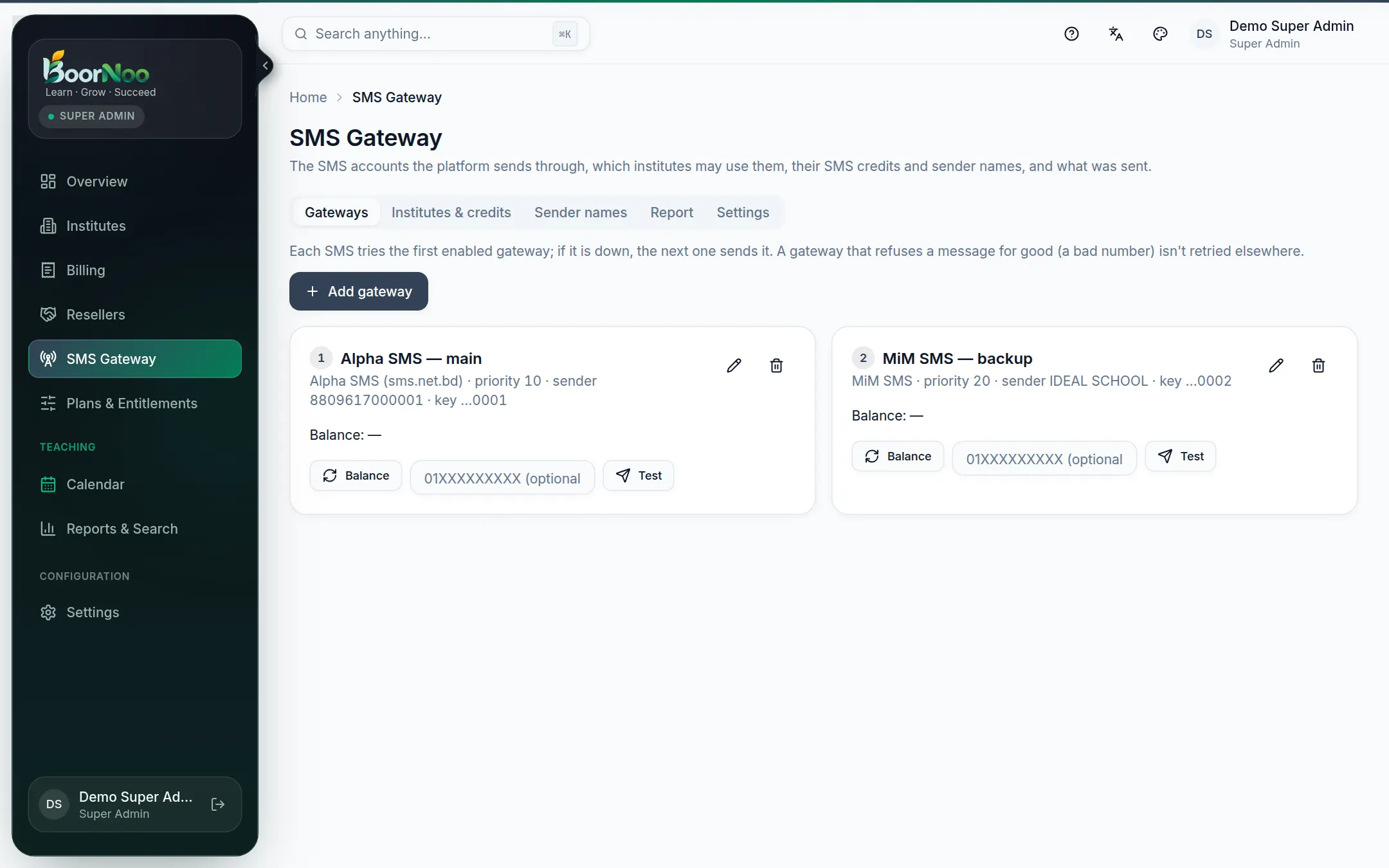
Point by point
Tap a number to see what it is.Point at a number, or scroll the list.
- Institutes & credits: who may use the platform's SMS, add (optionally invoiced), and block bulk SMS if it's abused.
- Sender names: register the an institute asked for with the gateway, then approve it.
- Settings: allow every institute, masking cost, credit price, sending speed.
Still stuck? Ask your institute's admin, or the BoorNoo team.