Homework and the class diary
Teachers set homework, write the daily class diary and send notes to guardians. Parents and students see it all on their phone, and can hand work in online.
For:Owner & adminTeacherParentStudent
The homework page
boornoo.com/dashboard/homework
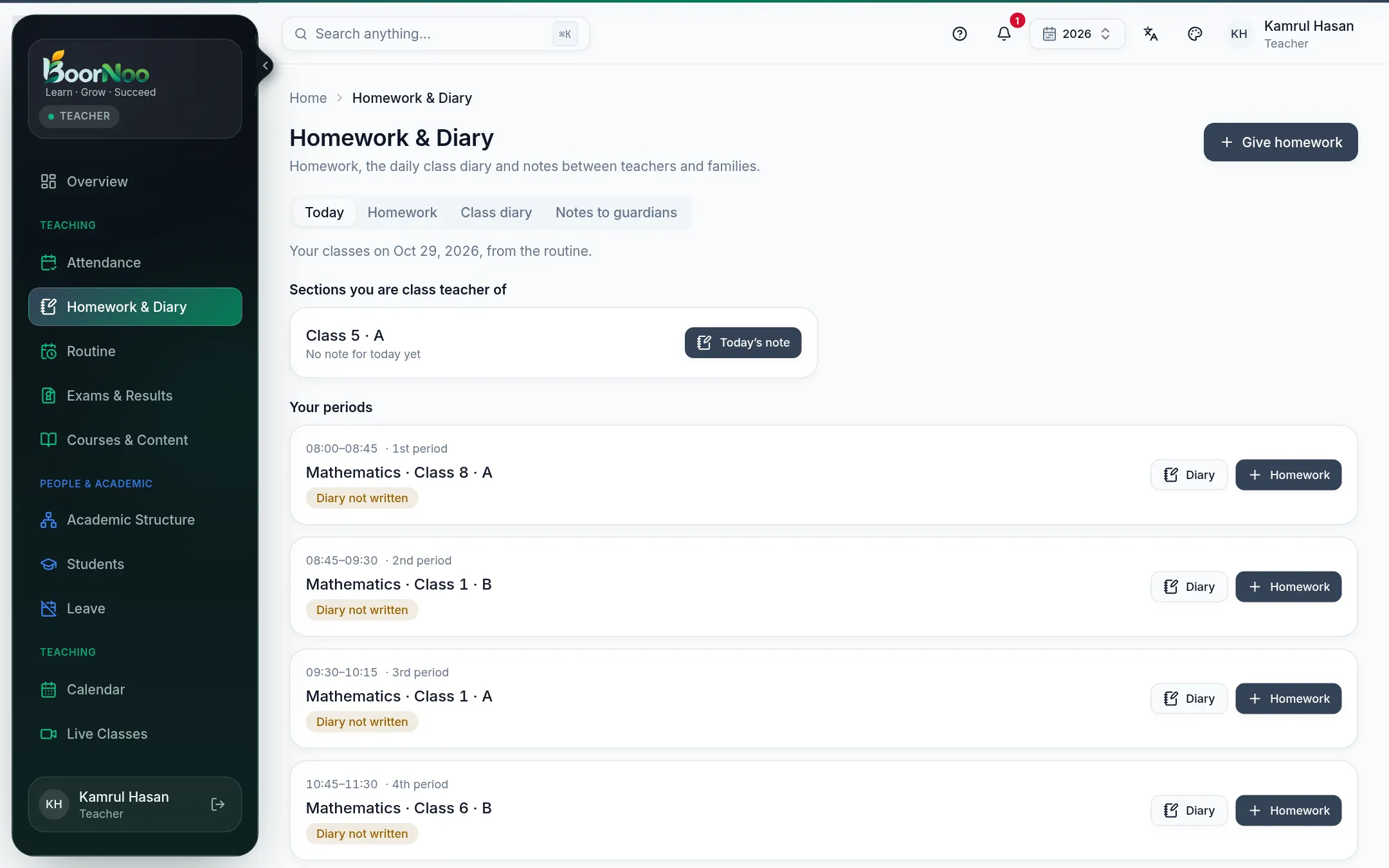
Point by point
Tap a number to see what it is.Point at a number, or scroll the list.
Setting homework
- 1Press Give homework (or Homework beside one of today's classes) — choose the section and subject.
- 2Add a title, instructions and the due date. Attach files (photos, PDFs) if needed.
- 3To collect work online, turn on online submission; to mark it, set the full marks.
- 4Publish — students and parents see it straight away.
Class diary and notes
- Class diary — what was covered in class today, in a line or two. Parents see it under Diary.
- Notes to guardians — a message to one student's family. You can see whether they've read it.
- Under Settings, choose whether guardians get a daily digest.
Still stuck? Ask your institute's admin, or the BoorNoo team.