Fees, invoices and collecting money
Define fee types, build a fee structure per class, raise everyone's invoices in one go, then take payment in cash or online — receipts are made for you.
For:Owner & adminAccountant
Fee structures
boornoo.com/dashboard/fees
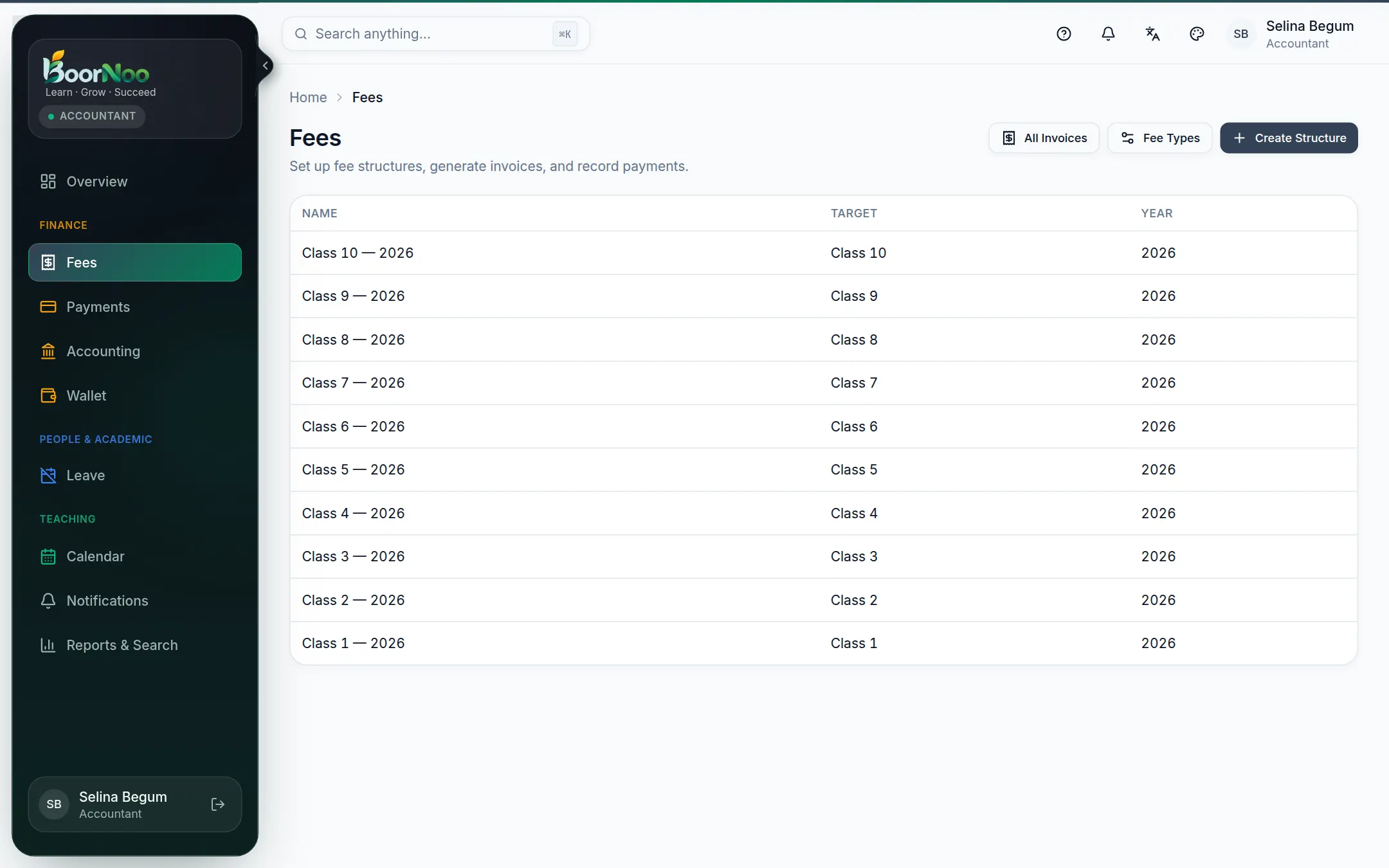
Point by point
Tap a number to see what it is.Point at a number, or scroll the list.
- 1Add your fee types under Fee Types.
- 2Press Create Structure — choose the academic year and class (or section/batch).
- 3Open the structure and use Add a fee item for each fee, amount and due date (January tuition ৳1,200, due 10 January, say).
- 4Press Generate — every student in that class gets an . If someone joins later, press it again to add theirs; nobody gets two.
Invoices and taking payment
boornoo.com/dashboard/fees/invoices
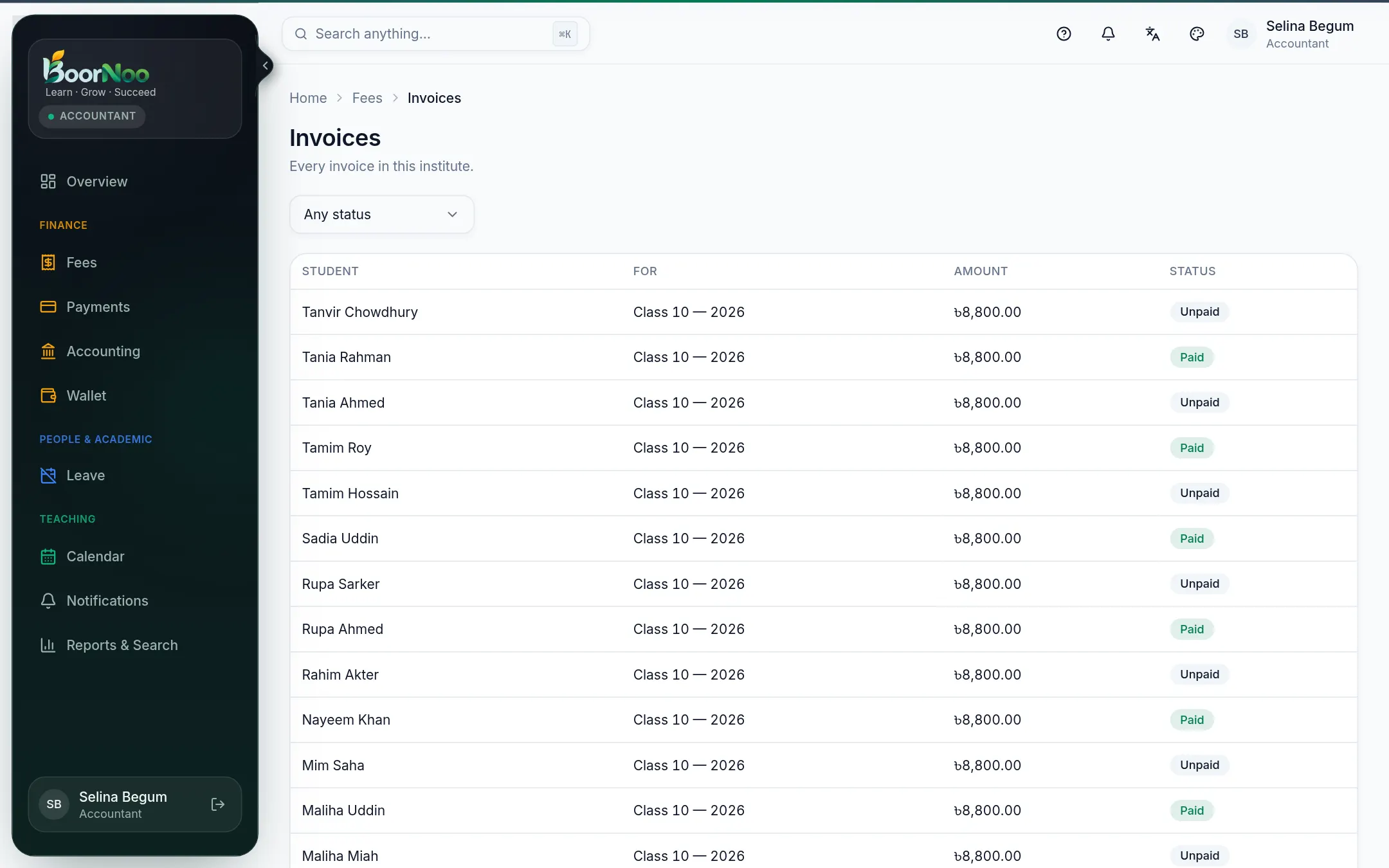
Point by point
Tap a number to see what it is.Point at a number, or scroll the list.
- 1Open the invoice.
- 2Press Record a payment — enter the amount and how it was paid (cash, cheque, other). Part payments are fine.
- 3Save and a is made — print it or send the link. Anyone can check it with the QR code.
- Parents can pay online themselves — see Online payments.
- Every payment goes into the accounts automatically.
- With automatic SMS on, families get receipt SMS and due reminders.
- To text everyone who owes money, choose With dues in SMS.
Still stuck? Ask your institute's admin, or the BoorNoo team.