Taking attendance
Pick a class and section (or a batch) and take the day's attendance. Everyone starts present — change only the absent ones, then save.
For:Owner & adminTeacher
Today's attendance
boornoo.com/dashboard/attendance
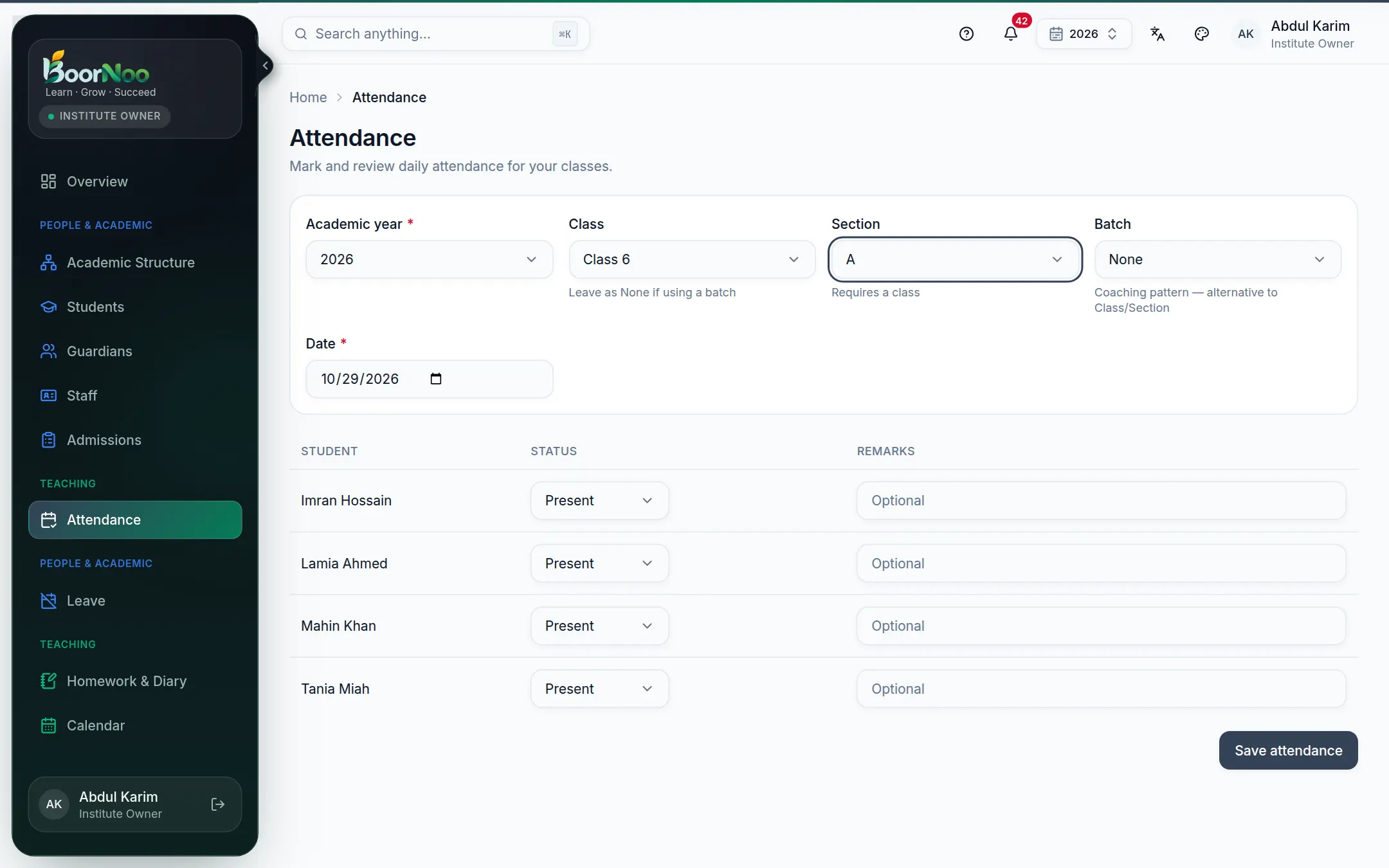
Point by point
Tap a number to see what it is.Point at a number, or scroll the list.
- 1Open Attendance from the menu.
- 2Choose the class and section (or a batch). The student list appears.
- 3Mark anyone who didn't come absent, and anyone who came late late.
- 4Press Save.
Good to know
Still stuck? Ask your institute's admin, or the BoorNoo team.