ID cards, certificates and documents
Student and staff ID cards, testimonials, transfer and character certificates, admit cards, marksheets — printed in bulk. Anyone can check each one is genuine with its QR code.
For:Owner & adminOffice & admissions
Issuing and printing
boornoo.com/dashboard/documents
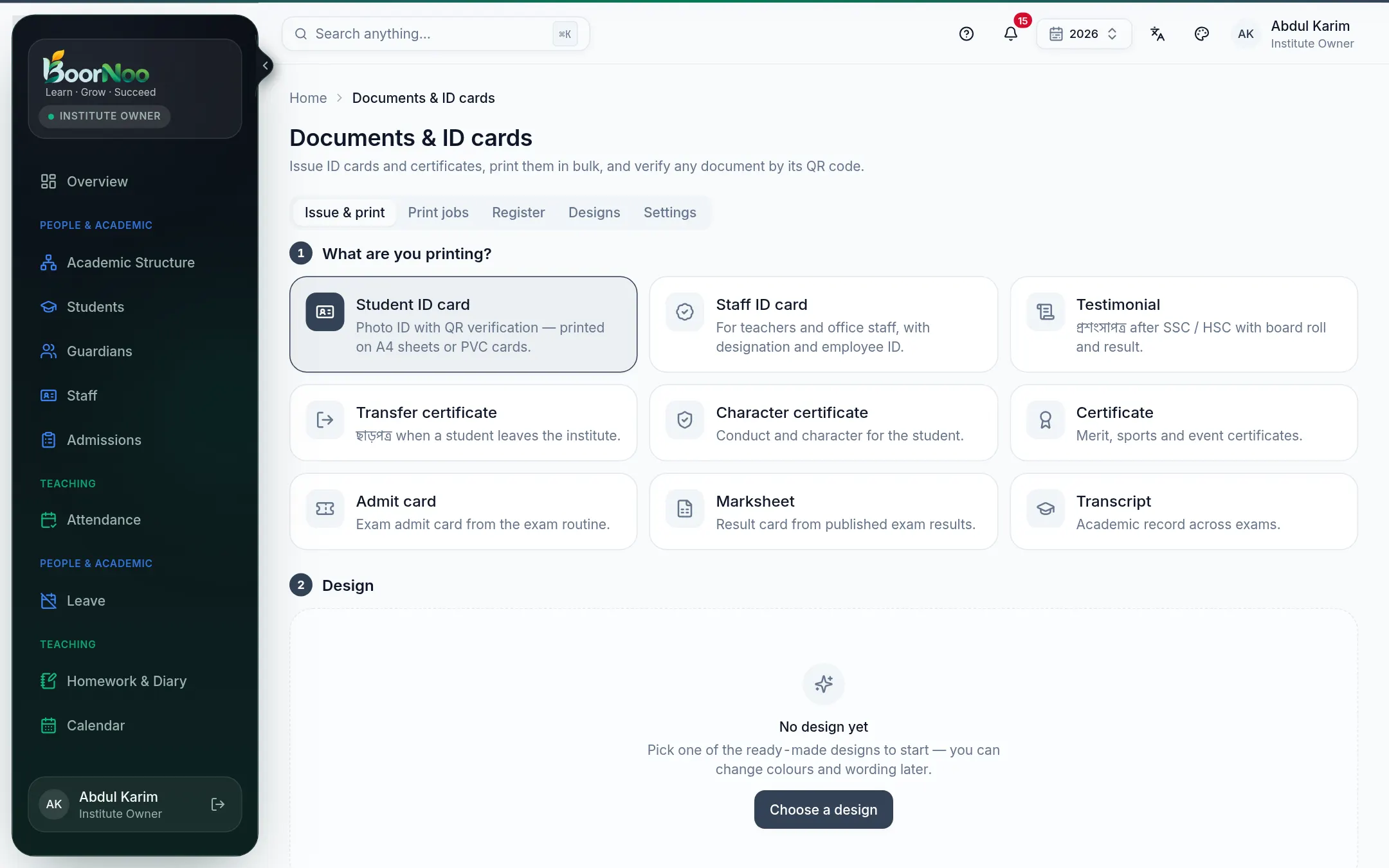
Point by point
Tap a number to see what it is.Point at a number, or scroll the list.
- 11. What are you printing? — Student ID card, say.
- 22. Design — pick a design (Choose a design the first time).
- 33. Who for — a class/section or particular students.
- 4Preview, then print — several to an A4 sheet, or on a PVC card printer. Big batches are prepared on the Print jobs tab.
The register and verification
- Every document gets a number and goes in the Register — who issued it, when and to whom.
- Scanning the QR code with a phone opens BoorNoo's verification page — you know at once whether it's genuine.
- Issued one by mistake? Revoke it; the verification page then says "revoked".
Still stuck? Ask your institute's admin, or the BoorNoo team.