Institute settings
Name, branches, members, roles, subscription, website, appearance — every institute setting lives on one page, in tabs.
For:Owner & admin
The settings tabs
boornoo.com/dashboard/settings
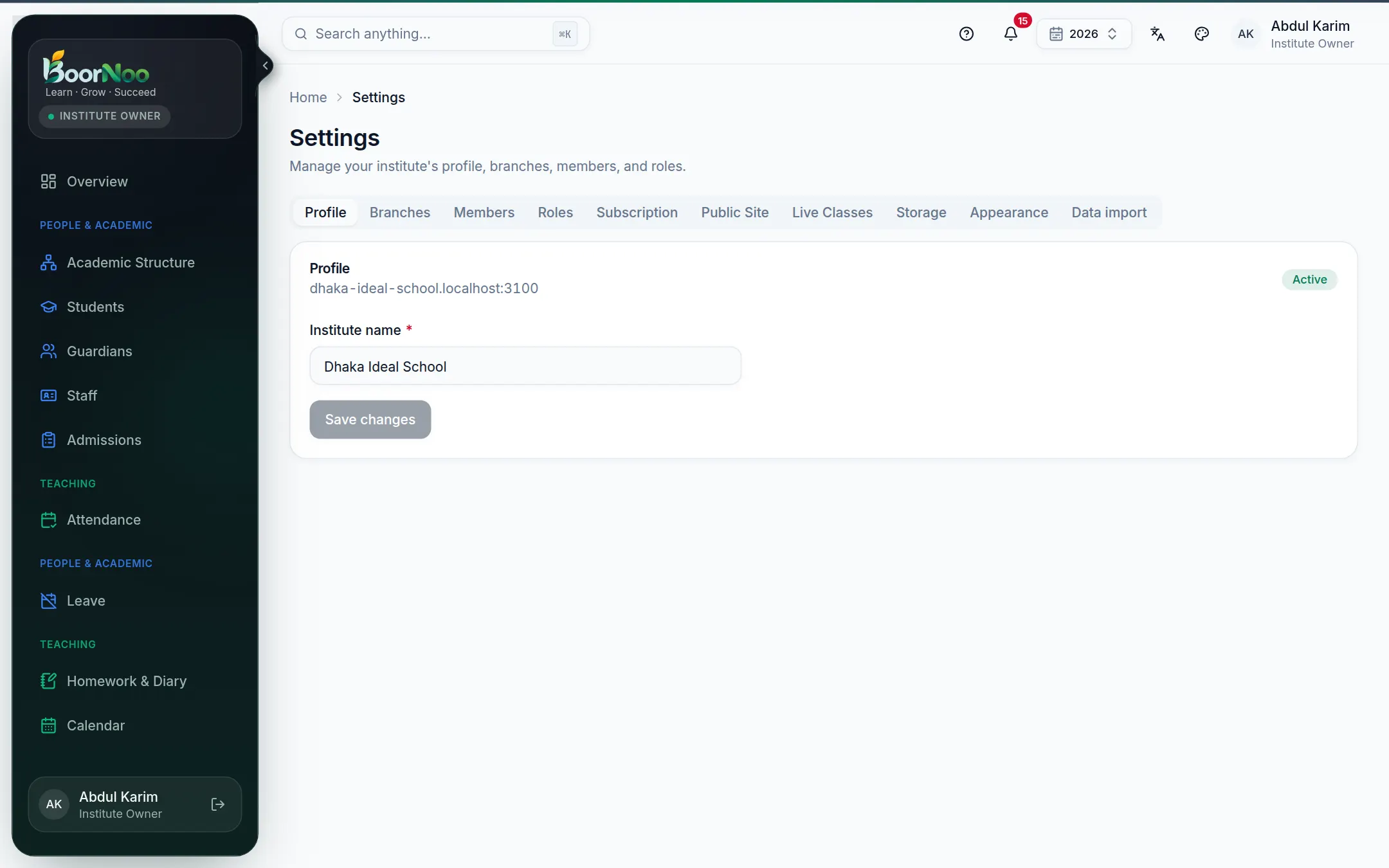
Point by point
Tap a number to see what it is.Point at a number, or scroll the list.
| Tab | What it's for |
|---|---|
| Profile | The institute's name and web address (subdomain). |
| Branches | Add campuses or branches if you have more than one. |
| Members | Who can sign in, and sending invitations. See Members and roles. |
| Roles | What each role may do. |
| Subscription | Your plan, its end date and renewal. See Plan and subscription. |
| Public Site | Your institute's own website. See School website. |
| Live Classes | Connecting Zoom or Google Meet. |
| Storage | How much space photos, files and videos use. |
| Appearance | Logo and colours — shown in the app, on receipts and on the website. |
| Data import | Bring in students, staff or dues from Excel. See Importing from Excel. |
Switching the academic year
The year button in the top bar (2026, say) lets you look at an earlier year — attendance, results and fees all follow it. New work always goes into the current year.
Still stuck? Ask your institute's admin, or the BoorNoo team.